
Updated October 2026 · Reviewed by Billy Forte
To finish the Impact Texas Drivers video for adults, you register on the DPS site, choose Impact Texas Adult Drivers (ITAD), watch all three modules on a computer and print your certificate. The program is free, and the whole process happens on impacttexasdrivers.dps.texas.gov. The steps below follow the DPS site screen by screen, with fixes for the problems DPS itself warns about.
Key Facts
- Where: the DPS portal at impacttexasdrivers.dps.texas.gov, under Impact Texas Adult Drivers. See the steps.
- Equipment: a desktop or laptop with Chrome or Firefox. Phones, tablets and iPads do not work. See before you start.
- Login code: sent by email from “CRIME RECORDS.” Check spam or junk mail. See the login code.
- Modules: three, and each must be finished before the next. See watching the modules.
- Help: the ITAD Contact Us page lists an email address and phone number. See troubleshooting.
Before You Start
Get your setup right first. The Impact Texas Drivers portal says “a DESKTOP COMPUTER or a LAPTOP is needed.” It also says the video is not compatible with a cell phone, tablet or iPad.
Have these ready:
- A computer. A desktop or laptop.
- A browser. Google Chrome or Mozilla Firefox, as the portal names.
- An email inbox. You need it for your user name and for the login code.
- Your driver education details. The sign-up form asks about your course.
- A printer. DPS requires a paper certificate.
DPS charges nothing for ITAD. The ITAD FAQ says the Department offers it “free of charge.”
How to Complete the Impact Texas Drivers Video
Follow these steps in order:
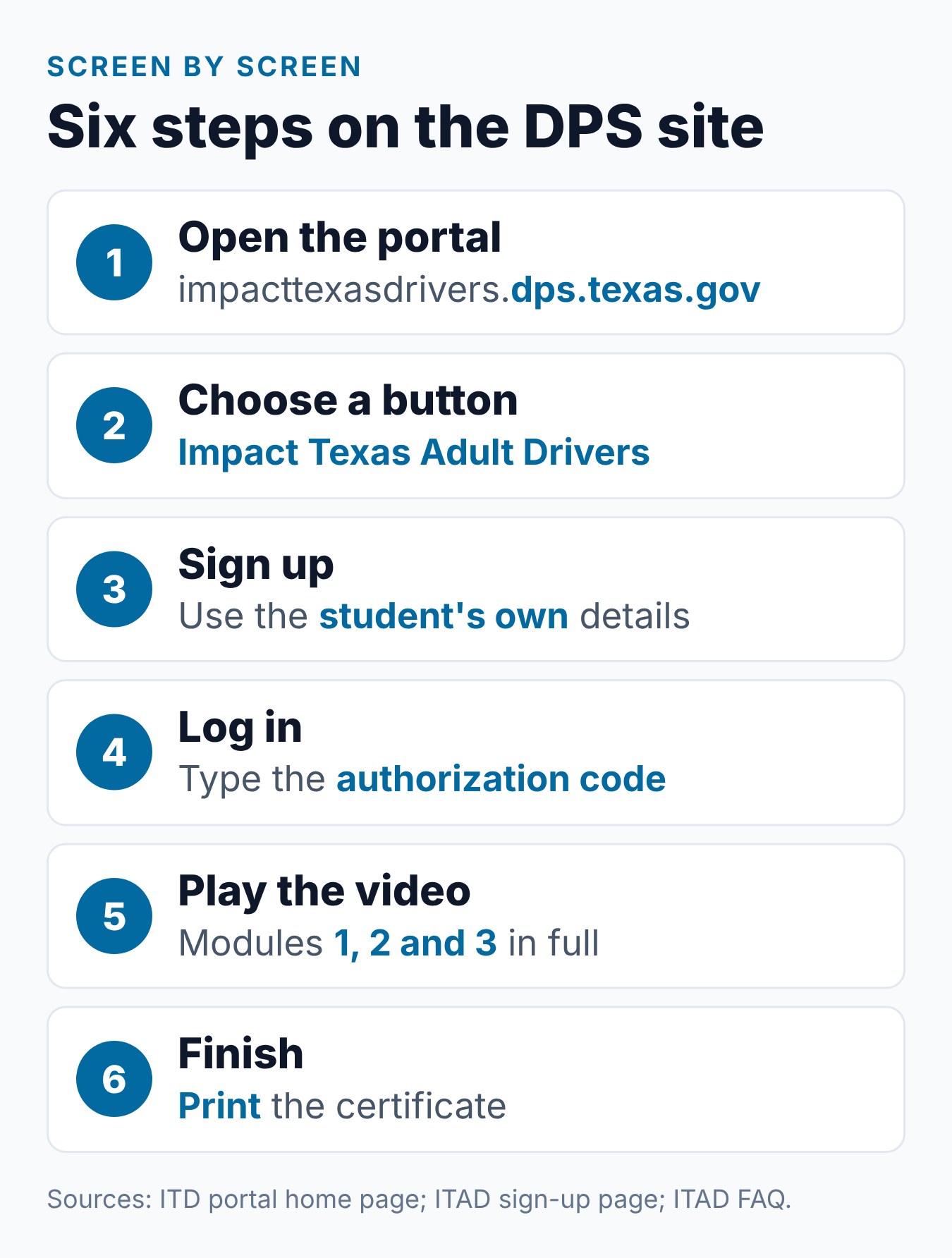
- Open the portal. Go to impacttexasdrivers.dps.texas.gov on your computer in Chrome or Firefox.
- Pick the adult button. Click Impact Texas Adult Drivers. The other button is Impact Texas Teen Drivers.
- Register. On the ITAD page, choose Register and fill in the form with the student’s own information.
- Log in. Use the email and password you just created.
- Enter the code. The site asks for an authorization code sent to your email.
- Watch module 1, then 2, then 3. Finish each module in full before the next one opens.
- Print the certificate. Print it on paper. A copy is also emailed to you.
Each step is explained below. For how long the full process takes, see our guide on ITAD course length.
Choosing the Right Button
The portal home page shows two buttons. One says Impact Texas Teen Drivers, and the other says Impact Texas Adult Drivers. Adults click the second one.
The adult button carries hidden image text that reads “Impact Texas Young Drivers.” That is only a label in the page code, not a third course. Our guide to ITTD vs ITAD explains the name.
Registering
Not sure what ITAD looks like yet? The ITAD course overview page links to a course overview video you can watch before you sign up.
The ITAD sign-up page says the form “must be completed with the student’s information.” It asks for these items:
- The student’s email, which becomes the user name. The page notes the email is case sensitive.
- A password of at least 8 characters, plus a security question and answer.
- The student’s last, first and middle name, and any suffix.
- Date of birth and ZIP code.
- Driver education details, such as the type of course and a control number.
One checkbox is for people 25 and over who have not taken a driver education course within the last two years. Check it only if it fits you.
Keep your adult course certificate nearby while you fill this in. The control number field says, “Only enter the numbers of the control, no letters.”
Be careful with your name. The sign-up page says the certificate “will only print for the name registered on the account.”
The Login Code
ITAD uses a code at login. The ITAD course overview page says the site “will prompt you for an authorization code.”
The code comes by email. That page says, “The message will come from CRIME RECORDS.” If you do not see it, check your spam or junk folder.
Watching the Modules
The video has three parts. The ITAD FAQ says you can view the modules independently. It also says “Each module must be completed in its entirety in order to progress to the next module.”
That means you can stop between modules and come back. When you return, the ITAD page has a Continue Course link.
DPS does not say whether a module saves your spot if you close the browser in the middle of it. So treat each module as one block of time, and start it only when you can finish it.
Printing the Certificate
When you finish, the FAQ says a copy is e-mailed to the address on your account. You can also log in “at any time to retrieve and print your certificate.” The ITAD page has a Retrieve Certificate link for this.
Print it on paper. The FAQ says, “You must print the certificate and submit a paper copy to the driver license office or TPST School.” Our ITD certificate guide covers the 90-day limit and what to do if you lose it.
Check Before You Close the Page
Look over the certificate before you log out. Make sure the name is yours and spelled the way you registered it. Then print it, and keep the emailed copy in your inbox in case you need to print it again.
The certificate does not last forever. The DPS ITD page says it is valid for 90 days. So finish ITAD no more than 90 days before your driving test, as the FAQ says.
Troubleshooting
DPS lists fixes for a few problems. Use them before you contact anyone.
The Code Email Did Not Arrive
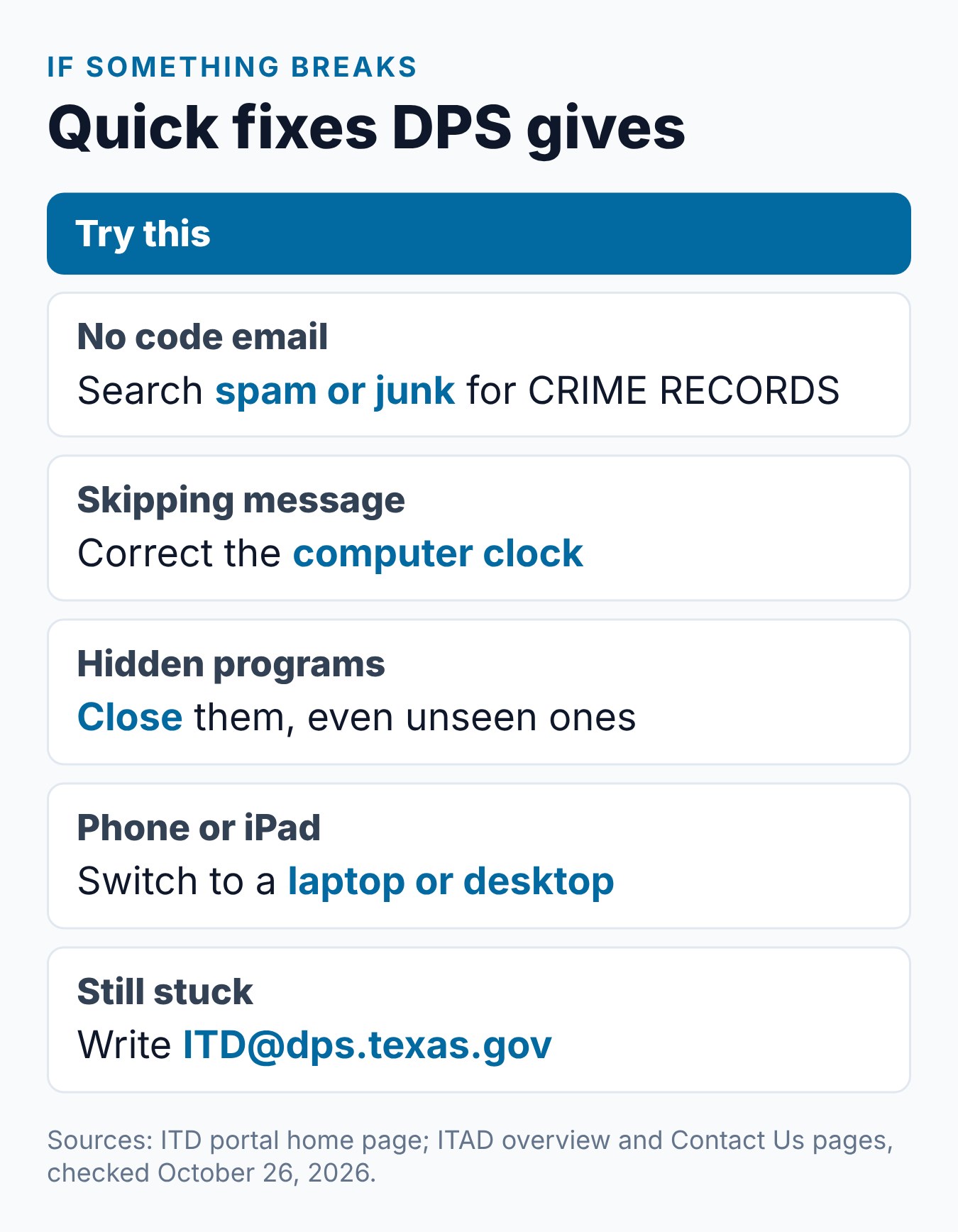
Look in spam or junk mail for a message from “CRIME RECORDS.” Also make sure you typed your email exactly as you registered it. The sign-up page says the email is case sensitive.
The Site Says You Are Skipping Through the Video
The portal gives two fixes. First, set your computer’s clock to the current date and time. Second, close any programs running in the background, even ones you cannot see.
The Video Will Not Play
Check your device and browser. The portal says the video needs a desktop or laptop and works with Google Chrome or Mozilla Firefox. A phone, tablet or iPad will not work.
Something Else Went Wrong
Use the ITAD Contact Us page. On October 26, 2026, it listed the email [email protected] and the phone number 512-424-5623. It gave hours of 8:00 AM to 6:00 PM Central, Monday through Friday.
That page asks you to read the FAQ first. It also says not to email your certificate, because certificates must be printed and taken to your appointment. The site has an En Español link, and the page says to send Spanish translation requests to the ITD email.
Using the Site in Spanish
The ITAD pages have an En Español link. Click it to switch the page language. For other Spanish help, the Contact Us page says to send translation requests to [email protected].
When to Do These Steps
Timing comes before step 1. The ITAD FAQ says ITAD “should be completed after the 6 hour Adult Driver Education Course.” It also says to take it no more than 90 days before the skills exam.
Applicants 25 and older have no driver education requirement, so they can start once a test date is in view. For a full timing plan, see how the three modules work and when to watch.
Taking the Teen Video Instead
Adults have a choice. DPS rule 37 TAC 15.62 says applicants 18 or older “can complete either” ITAD or Impact Texas Teen Drivers (ITTD).
The teen video is 2 hours, so ITAD is the shorter path. See ITTD vs ITAD for a full comparison.
After the Last Module
Bring the printed certificate to your driving skills test. The DPS ITD page says it “must be presented before the administration of the driving skills test.” The DPS third-party testing page also requires it at certified schools, dated within 90 days of the test.
Our ITAD guide explains who must take ITAD and where it fits in the license process.
What We Found on the ITAD Site
On the ITAD pages we checked on October 26, 2026, the sign-up and login flow matched the steps above. The course overview page had links for Register, Log In, Continue Course and Retrieve Certificate. It also had FAQs, Resources, Links and Contact Us.
The portal home page showed two buttons. The visible labels were Impact Texas Teen Drivers and Impact Texas Adult Drivers. We found no step on any ITAD page that asks for a fee.
Common Mistakes to Avoid
Each item comes from the ITD portal, the ITAD pages or the FAQ:
- Registering with someone else’s details. The certificate prints only for the name on the account.
- Typing a different email at login. The email is case sensitive.
- Giving up on the code. Check spam or junk for “CRIME RECORDS.”
- Using a phone or tablet. The video needs a desktop or laptop.
- Jumping to the last module. Each module must be finished first.
- Bringing the certificate on your phone. DPS requires a paper copy.
How Requirements Can Vary
Texas driver license rules come from state law, Texas DPS rules and TDLR rules, and they apply statewide. What you need still depends on your age, whether you hold a license from another state, and which tests you have already passed.
Laws, fees and office procedures can change. Check the Texas DPS and TDLR websites for current rules before you book an appointment or enroll in a course.
Frequently Asked Questions
Where do I take the Impact Texas Adult Drivers video?
Only on the DPS portal at impacttexasdrivers.dps.texas.gov. Choose the Impact Texas Adult Drivers button, then register or log in.
Why does the site ask me for a code?
The ITAD site asks for an authorization code when you log in. It is emailed to you from “CRIME RECORDS,” so check spam if it does not show up.
Can I finish ITAD on my phone?
No. The portal says the video is not compatible with a cell phone, tablet or iPad. Use a desktop or laptop with Chrome or Firefox.
What do I do about a skipping error?
Set your computer’s clock to the current date and time. Then close any programs running in the background, as the portal advises.
I lost my certificate. Do I start over?
Not if it is still within 90 days. The FAQ says you can log in at any time to retrieve and print it. A copy was also emailed to you.
Who do I contact for other problems?
Use the ITAD Contact Us page. It listed [email protected] and 512-424-5623 when we checked. Read the FAQ first, as that page asks.
Do I need my adult course certificate to register?
Keep it handy. The ITAD sign-up form asks for driver education details, including a control number. It tells you to enter only the numbers, with no letters.
Can an adult take the teen video instead?
Yes. DPS rule 37 TAC 15.62 lets applicants 18 or older complete either ITAD or ITTD. The teen video runs 2 hours instead of 1.
Conclusion
Finishing ITAD takes a computer, an email inbox and one hour of video. Register with your own details, enter the code from “CRIME RECORDS,” watch the three modules in order and print the certificate on paper. If you are 18 to 24, finish the six-hour course before ITAD, and you can do that with Driving Logic’s online Texas adult driver education course.
Related Articles
- What Is Impact Texas Adult Drivers (ITAD)? The Complete Guide
- Impact Texas Drivers Certificate: How to Get It and Use It at DPS
- How Long Is Impact Texas Drivers? ITAD Time Explained
- Impact Texas Young Drivers: ITTD vs ITAD Explained
Sources
- Texas DPS — Impact Texas Drivers website
- Texas DPS — Impact Texas Adult Drivers FAQ
- Texas DPS — Impact Texas Adult Drivers Course Overview
- Texas DPS — Impact Texas Drivers (ITD) Program
- 37 Tex. Admin. Code § 15.62 — Impact Texas Drivers program
- Texas DPS — Third Party Skills Testing Program
Billy Forte is the owner of Driving Logic, a state-approved driver improvement course provider serving Texas and other U.S. states.
This article is general information, not legal advice. Texas driver license and driver education rules are set by Texas law, Texas DPS and TDLR, and they can change. Check the official DPS and TDLR websites for current requirements before you apply.